- JavaScript 63.1%
- CSS 21.5%
- HTML 9.2%
- Dockerfile 6.2%
| .forgejo | ||
| .vscode | ||
| assets | ||
| public | ||
| src | ||
| .dockerignore | ||
| .gitattributes | ||
| .gitignore | ||
| bun.lock | ||
| CHANGELOG.md | ||
| default-rootless.conf | ||
| default.nginx.conf | ||
| docker-compose.yml | ||
| Dockerfile | ||
| index.html | ||
| LICENSE | ||
| package.json | ||
| README.md | ||
| renovate.json | ||

ISO-Share
This web application is a very simple file browser which can be used effectively together with nginx's autoindex module.
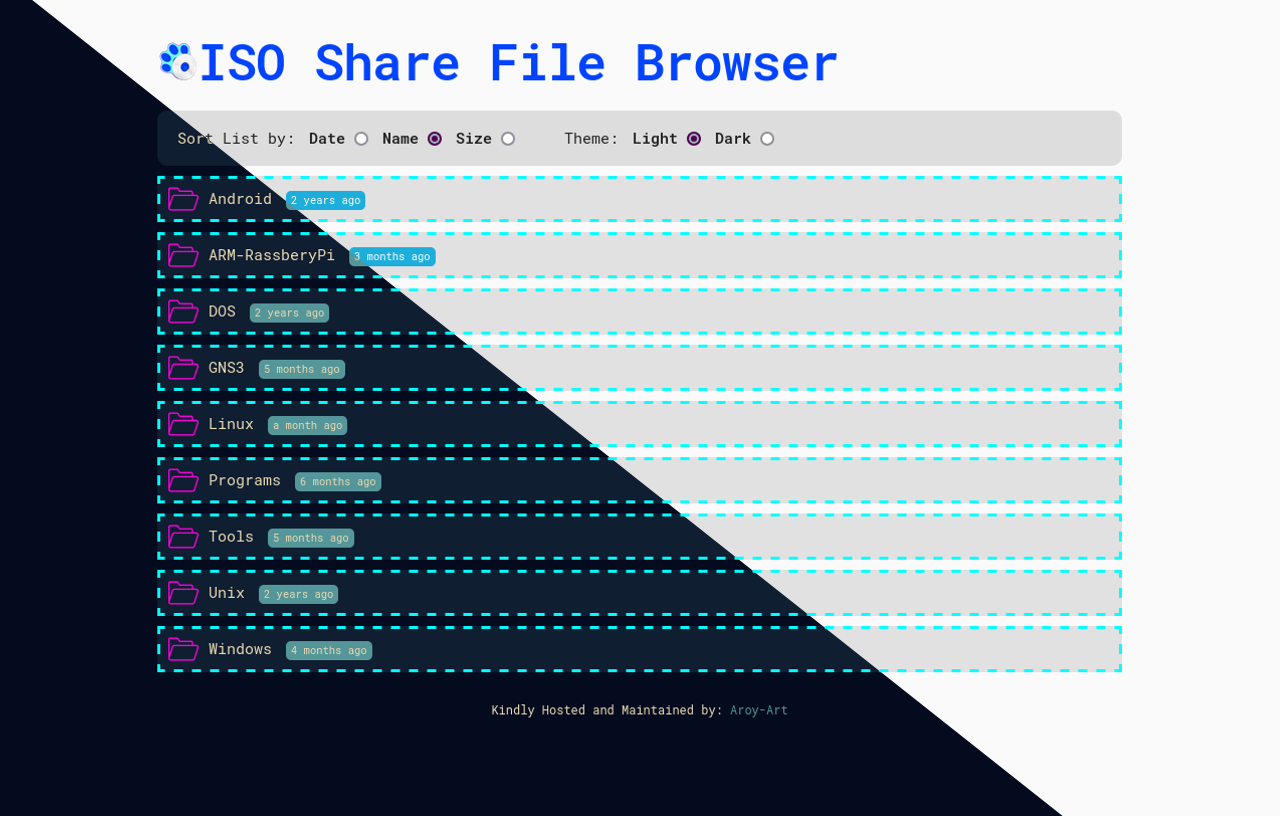
A sample nginx configuration is also included which mounts file browser under
root (/) and mounts files to be listed under /files path.
Hence is the filesBaseUrl under
Using with docker
Mainly for demonstration purposes a docker image is also available here.
In order to use this docker image, the volume which has to be served should
be mounted under /opt/www/files/ and port 80 (root) or 8080 (rootless))
of container shall be mapped to a proper port on host. A proper run would look like:
root
docker run -p 8080:80 -v /path/to/my/files/:/opt/www/files/ git.aroy-art.com/aroy/iso-share:latest
rootless:
docker run -p 8080:8080 -v /path/to/my/files/:/opt/www/files/ git.aroy-art.com/aroy/iso-share:rootless-latest
With container up and running you can point your browser to IP of docker host
with given port to view the files. For example with above run command assuming
docker host having IP with 192.168.1.200 we have to navigate to this
URL: http://192.168.1.200:8080
Symlinks
Be very careful with symlinks, they can expose very important files of system to outside world!
If you have symlinks inside files dir that you want to be able to browse too,
the alias path where /files is served by nginx has to be changed to match
the same path outside your docker container. Lets say I have a directory with
path /home/myuser/files-to-serve/. Which has two directories
named dir1 and dir2. where dir1 is nothing more than a symlink
to dir2. In order to be able to browse dir1 (inside dir2)
on file browser, following have to be done:
Inside default.conf this line
alias /opt/www/files/;
shall be changed to
alias /home/myuser/files-to-serve/;
And the mounting point is now /home/myuser/files-to-serve/ instead of /opt/www/files/.
Development notes
Build and Push docker image
Build image:
docker build -t git.aroy-art.com/aroy/iso-share:latest . -f Dockerfile
Push image:
docker image push git.aroy-art.com/aroy/iso-share:latest
Attribution
This is a fork from github.com/mohamnag/nginx-file-browser